
Guest paperwork and kitchen paperwork from the same event
Write the template once. Placeholders fill from the event and the client. Two layouts can share the data without sharing the look.
What this is for
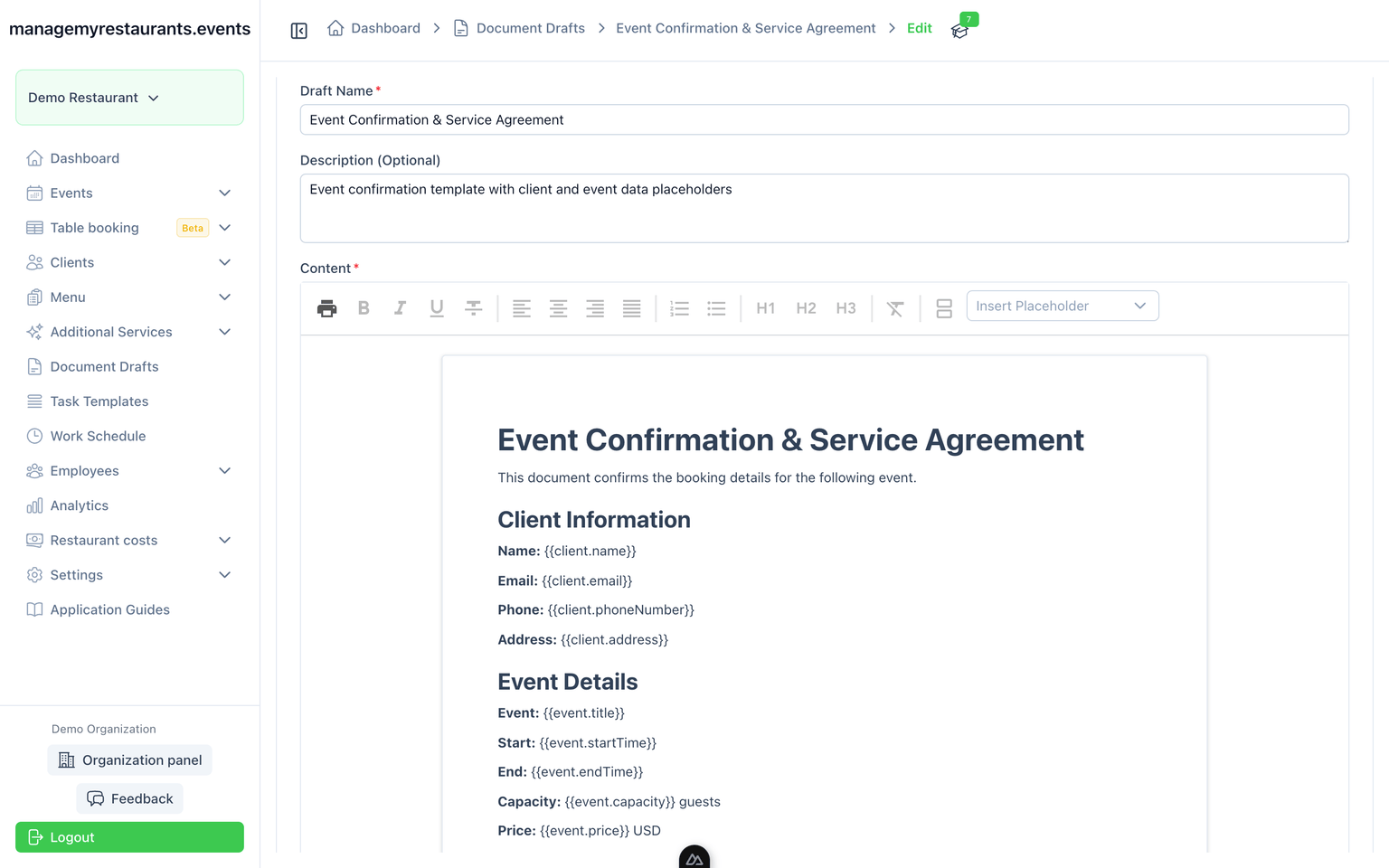
Documents are templates that fill from the event and the client. You write the layout once — a confirmation, a kitchen packet, whatever you reuse — then generate it for this booking instead of copying last week’s PDF and hoping the date is right.
How you use it
Write the template in the editor
One template for the guest packet, another for the kitchen — or as many as you reuse. The layout can differ. The data should not.
Drop in placeholders
Fields such as client name, event date, and totals pull from the event and client record when you generate the document.
Generate from the event, not from a blank page
Pick the event. The template fills. You edit the exception, not the whole packet.
Image to shoot
Empty for now. Template editor with visible placeholder chips (client.name, event.date) and a preview of filled output. Neutral product UI — not branded for a hotel or a restaurant chain.
What you have when you are done
A version the guest can see
Confirmation, menu presentation, event details — filled from the booking, not retyped.
A version the kitchen can use
Internal notes, quantities, timing. Same source fields, different template.