
A prep checklist you reuse on each event
Write the work once. When the booking is confirmed, copy it onto the event board so prep is not a new list in a notebook.
What this is for
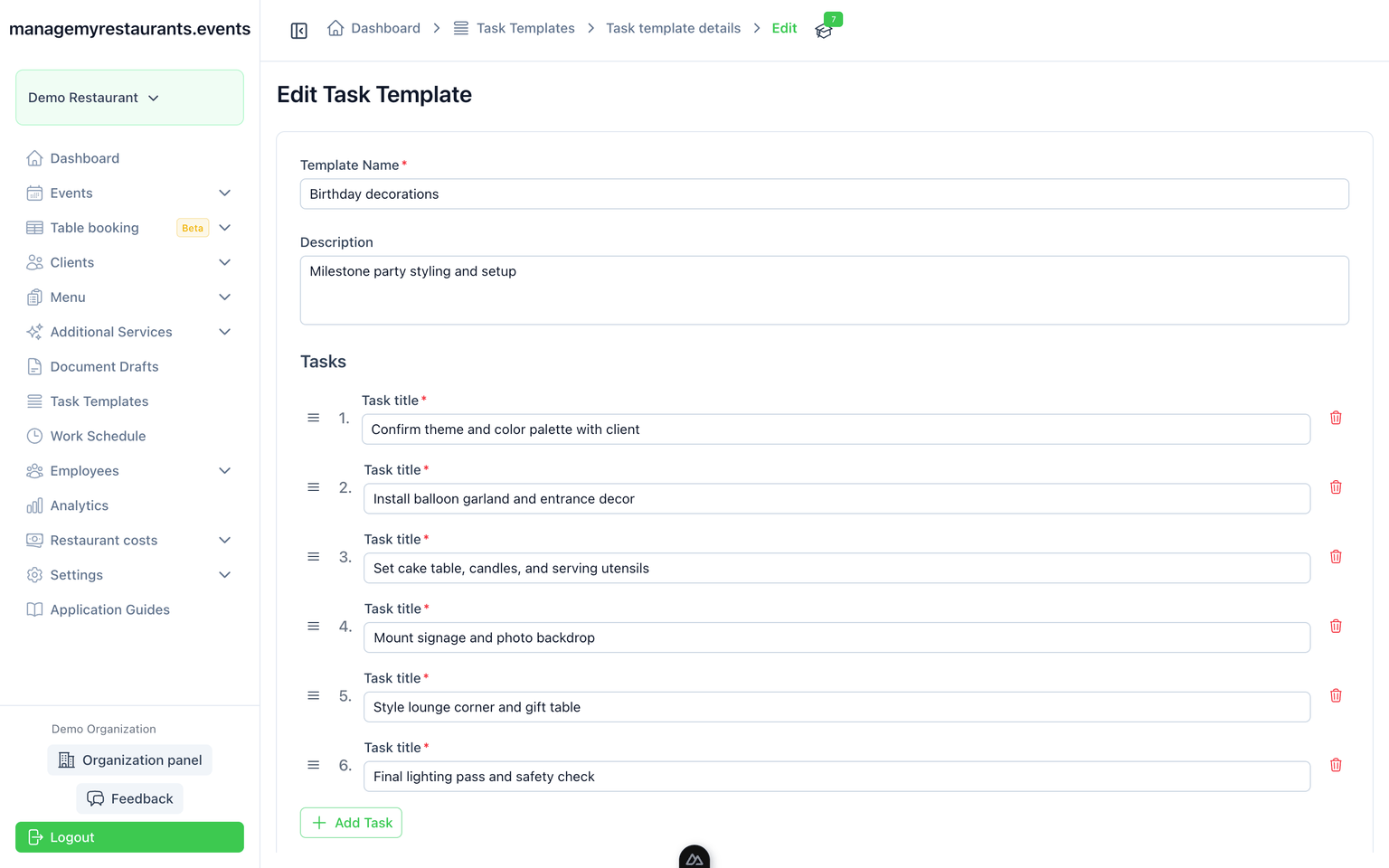
Tasks is a checklist you write once — prep, setup, follow-up — and copy onto the event board when the booking is confirmed. The work for this night sits next to the menu and the timeline, not in someone’s head.
How you use it
Save the work as a template
The steps you always do sit in a template you can name and reuse.
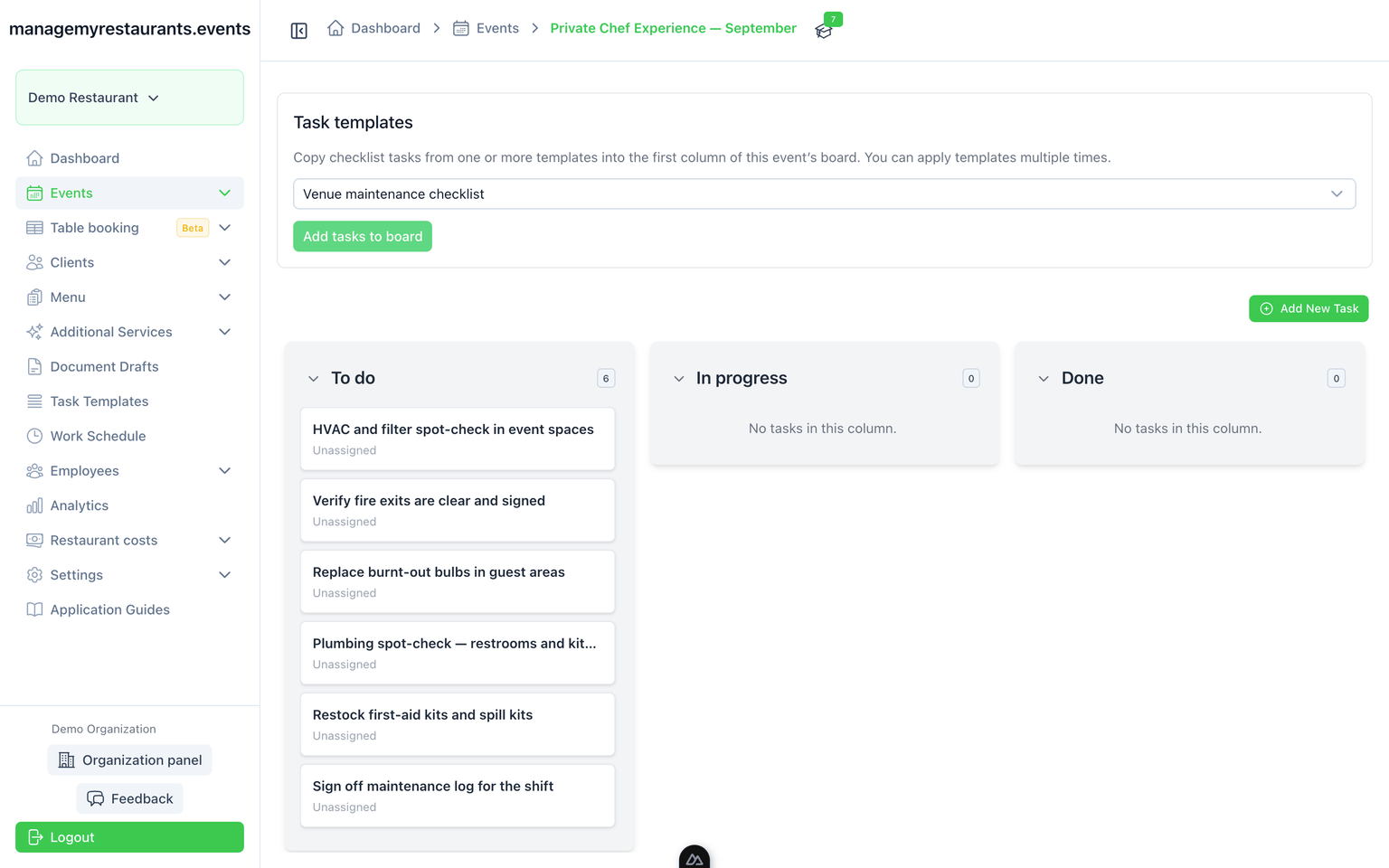
Copy it onto the event board
When the booking is confirmed, the template becomes tasks on that event. The board is for this night, not a company-wide backlog.
Move work as the house does it
The board shows what is still open. Staff see the event tasks, not every booking in the building.
What you have when you are done
Prep you do not rewrite
The template is the memory. The event board is this booking.
Work attached to the event
Tasks sit on the same record as the menu and the timeline. The job is not a separate app.