
The event menu, and the shopping list that comes from it
Add meals and drinks to the event. Ingredients and quantities become a shopping list. You can also see estimated plate cost on those items.
What this is for
Menus is where you plan what this event will serve. The dishes live on the booking, so you are not keeping a tasting file, an order sheet, and a cost in someone’s head. Change a dish, and the shopping list follows.
How you use it
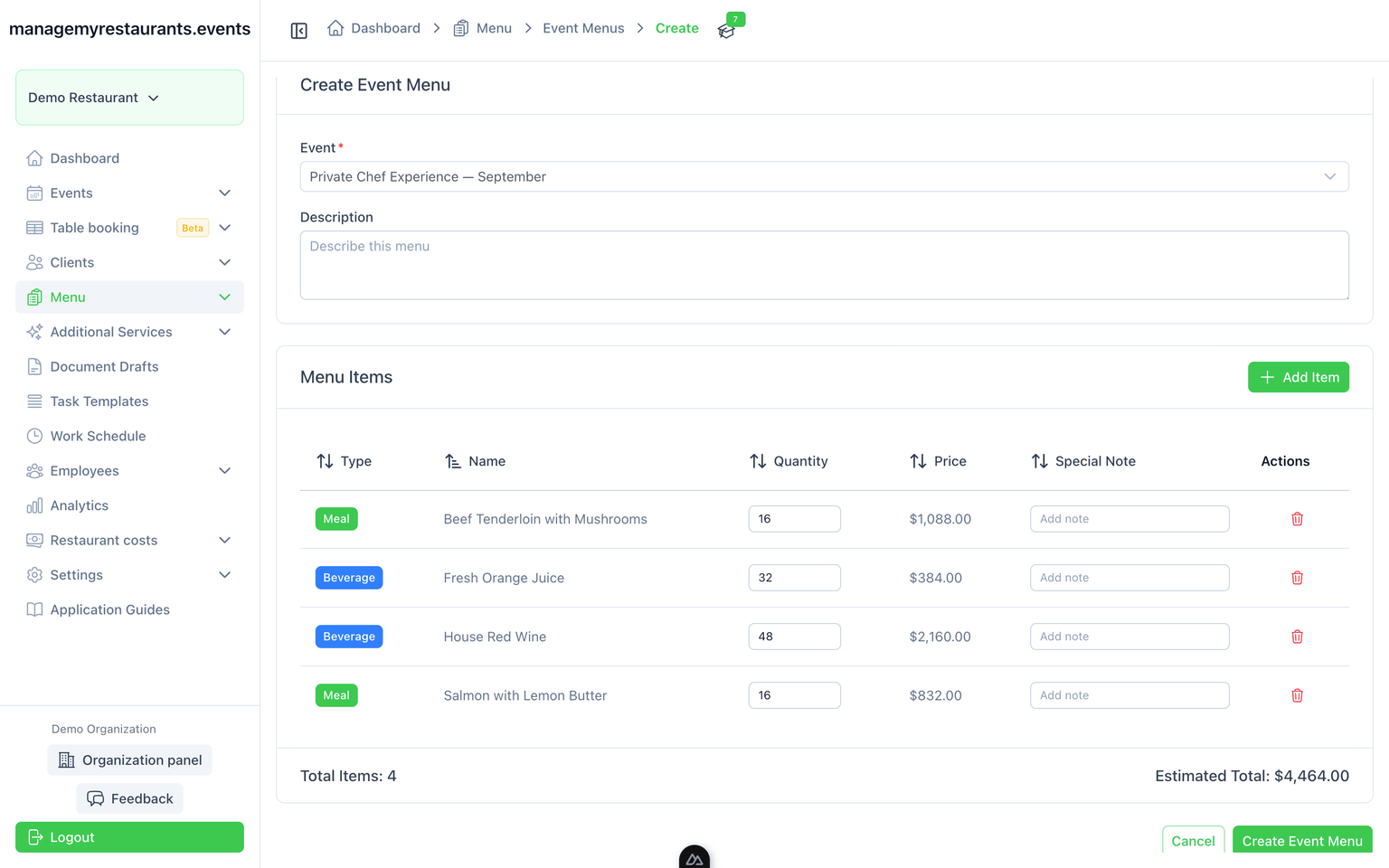
Put meals and drinks on the event
Build the menu from what you already sell, or add what this booking needs. Quantities sit on the event.
Turn ingredients into a shopping list
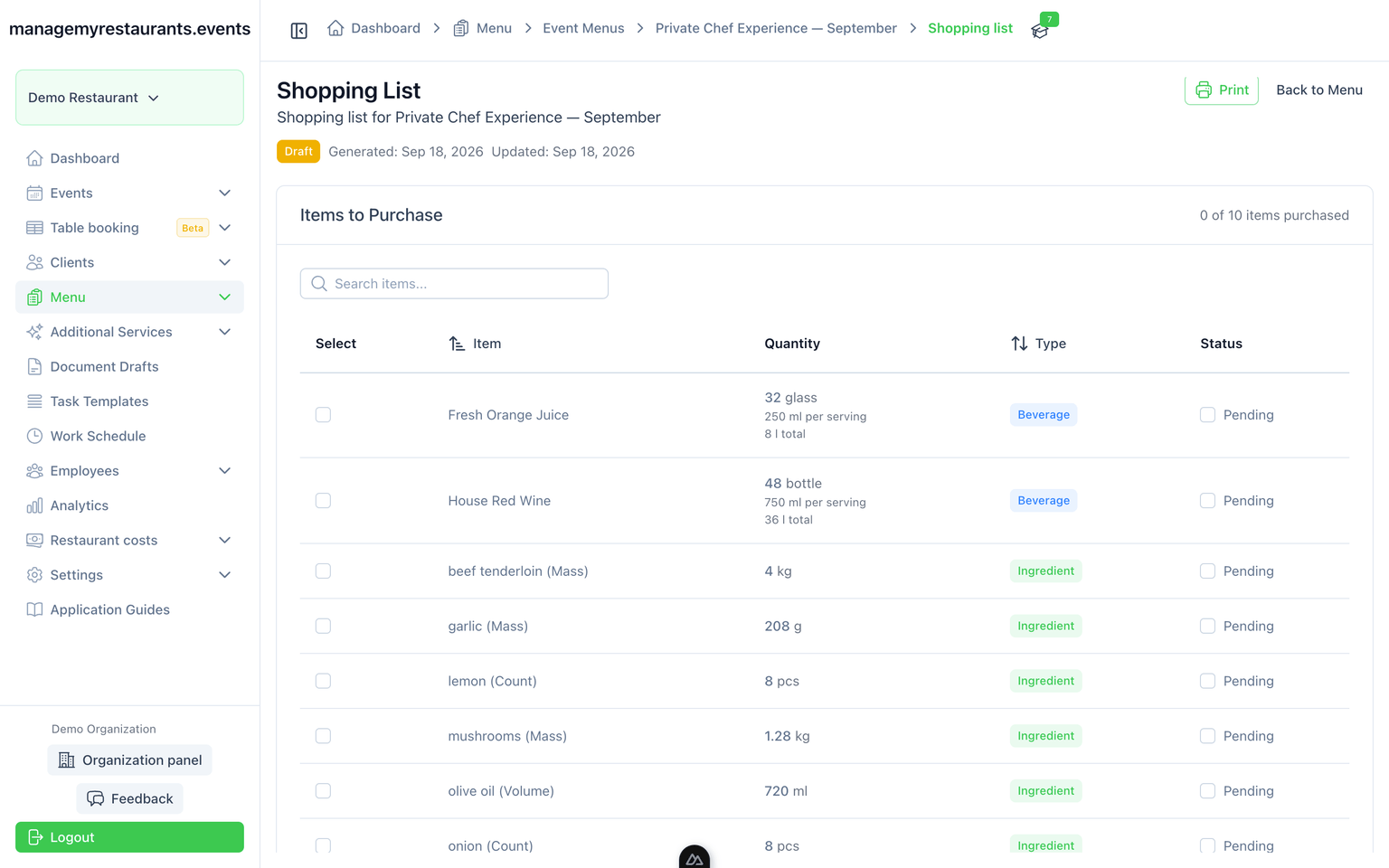
The same menu breaks into ingredients and quantities. You order from the event, not from a second document.
See plate cost next to the menu
Estimated plate cost on meals and drinks. This is costing on the menu — not a warehouse, and not money you have already collected.
What you have when you are done
One menu for the client and the kitchen
The dishes on the event are the dishes in the shopping list. Change the menu, change the order.
A cost on the plate, not a guess
You see estimated food cost on the items you already planned. You still buy elsewhere; this is not inventory.